
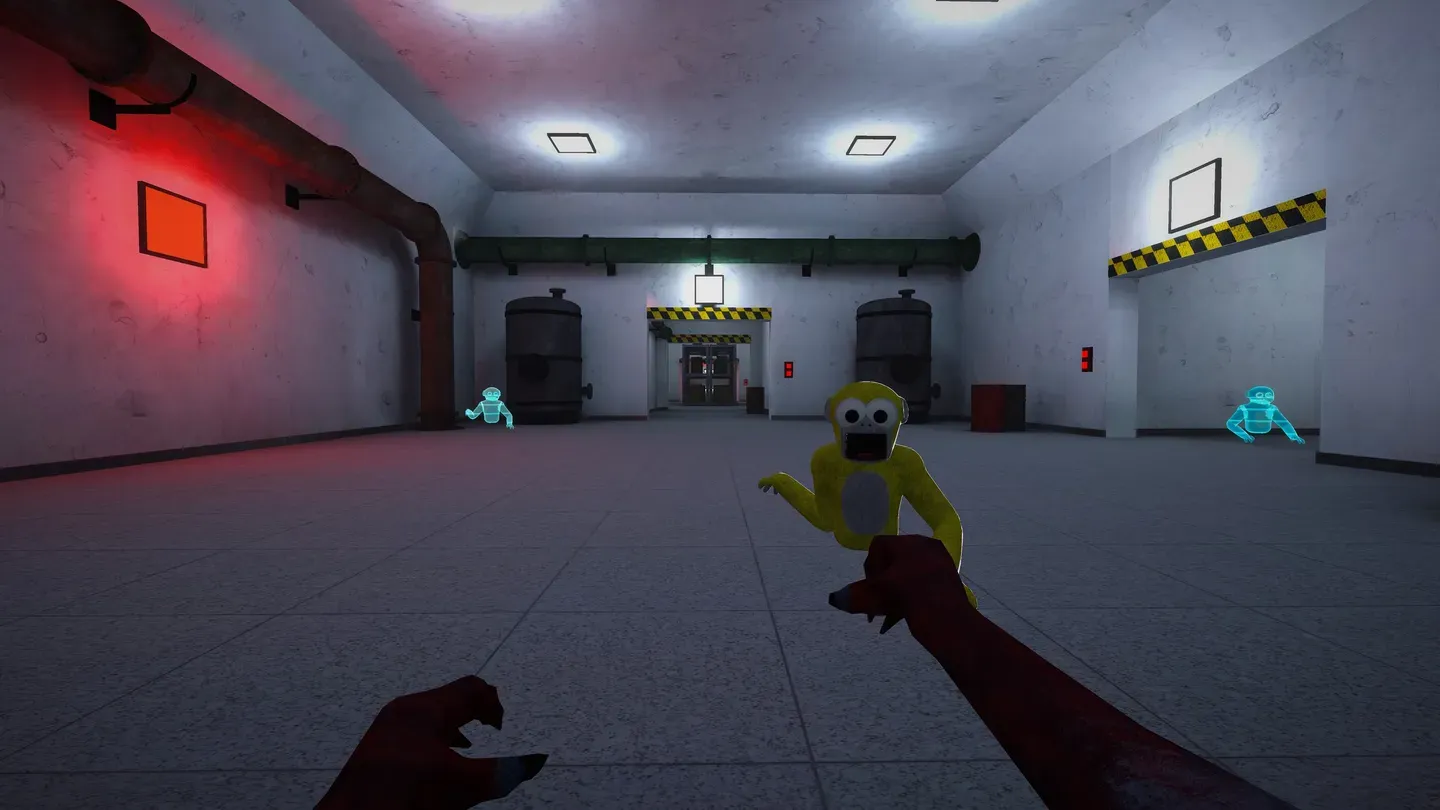
MULTIPLAYER VR HORROR ON META QUEST
Gilla VR
Survive the abandoned base
Learn the basics of Gilla VR on Meta Quest. Use your arms to climb through the abandoned base, bring loot back to the recycler, and watch what you say around monsters that can hear voice chat.
START HERE
Get ready for your first run
Beginner guide
Learn how to move, what to pick up, and where to take your first haul.
Monster guide
Find out where the Grinner, the Mannequin, and the Mako hunt.
Try Be the Monster
See how map voting and the timed hunt work when one player becomes the monster.
Quest pricing and requirements
Check headset compatibility and learn what the base game includes.
Featured Gilla VR guides
Gilla VR Game: Complete Beginner's Guide to Survival and Mining
Learn how to play Gilla VR with this complete beginner's guide covering movement, game modes, mining access, and leveling strategies.
Gilla VR Monster Guide: All Three Creatures and How They Hunt
Complete breakdown of The Grinner, The Mannequin, and The Mako in Gilla VR—learn how each monster hunts and how to survive.
Gilla VR Be the Monster Mode: Complete Guide to Playing as the Hunter
Master Gilla VR's Be the Monster mode with tips on hunting strategies, best items for PvP, and how this tag-style game mode works.
Explore Gilla VR
6 guidesLearn the objective of a run through the base before you head inside.
- 1
Practice pushing off floors and walls to move and climb.
- 2
Explore the base with your team and look for valuables you can carry.
- 3
Return your haul to the recycler and keep your voice down near monsters.
Learn where each monster hunts and which threats react to sound or water.
It patrols the base, where voice chat can give away your position.
It hunts in the area beneath the base.
It comes after players who touch the water in Don't Splash.
Get your bearings with landmarks in the main exploration mode.
The base
The locked door
Below the base
Know what to haul back to the recycler and what to use for access.
| Find | What to do with it |
|---|---|
| Gold bars | Carry them back to the recycler. |
| Diamonds | Bring them to the recycler with the rest of your haul. |
| Keycard | Use it to open the locked door and reach the lower area. |
Choose between a scavenging run, a hunt, and a flooded obstacle course.
Explore with other players and bring valuables back to the recycler.
Cross sinking platforms over a flooded hall and stay out of the Mako's reach.
Practice arm-based movement before you try to outrun a monster.
- 1
Push off the floor to get moving.
- 2
Use your arms to climb when you reach a wall or ledge.
- 3
Push off firmly to leap across a gap.
Find a room, bring friends, and use voice chat carefully during a run.
Public rooms
Private rooms
Voice chat
Check that your headset is supported and find the official store listing.
| Requirement | Details |
|---|---|
| Supported headsets | Meta Quest 2, Quest 3, Quest 3S, and Quest Pro |
| Base game | Free on the Meta Quest Store |
| Connection | Internet access required |
ABOUT THE GAME
What is Gilla VR?
Gilla VR is Play Gilla's multiplayer horror game for Meta Quest. Play as an ape and use your arms to move through an abandoned facility. Search for loot with your team, switch roles in Be the Monster, or cross sinking platforms in Don't Splash.
- Platform
- Meta Quest
- Developer
- Play Gilla
- Genre
- Multiplayer VR horror
Frequently asked questions
How do you move in Gilla VR?
Can monsters hear you in Gilla VR?
Which headsets support Gilla VR?
Is Gilla VR free to download?
Play Gilla VR on Meta Quest
Open the official listing to check your headset and install Gilla VR.